Official MN State Fair App
- 3.9
- Rating
- 50.00K
- Installs
- Free
- Price

 Analysis by App-foxy
Planning a visit to the Minnesota State Fair is one of those jobs that sounds simple until you try to fit food, shows, shopping, rides, and meeting points into one busy day. I found the Official MN State Fair App useful because it puts the fair’s main planning material in one place instead of making me jump between printed maps, search results, and scattered event pages. It is a free Events app from Official Minnesota State Fair App, aimed at everyone, and its focus is practical: helping visitors decide where to go and what to do once they arrive.
My overall impression is that it works best as a companion for an actual fair visit, not as a general entertainment app. The value comes from reducing the small decisions that otherwise consume time: finding a particular food or drink, checking shopping options, locating entertainment, and building a rough route through the grounds. It will not replace common sense, a meeting plan, or a little preparation, but it can make a crowded day feel more manageable.
How the app feels in its current form
The current release is version 3.0.4, and the app was released on July 24, 2024. Those details matter because this is not an old utility being kept alive with a forgotten interface; it is a relatively recent fair companion that has had room to develop around the way visitors actually plan their day. On Android, it supports devices running version 6.0 or later, which makes it accessible to people using older phones as well as newer models.
You May Also Like

 Blood Strike: 2.5 Anniversary
Blood Strike’s Loadouts Turn Every Drop Into a Tactical Gamble
A close look at Blood Strike’s custom loadouts: how fast access to signature weapons reshapes its battle royale rhythm, rewards preparation, and narrows the gap between fights.

 Pandora - Music & Podcasts
Pandora’s Music Is Easy to Start, but Harder to Recover
Pandora’s strength is its low-effort path from a seed to a station. Its weak spot is how much confidence it asks you to place in connection, setup, and quiet recovery.

 8 Ball Pool
 Is Built on Rivalries, Rematches, and Routine
A close look at the rivalries, rematches, shared routines, and unanswered safety questions that turn a quick pool match into a persistent mobile community.

 Samsung Music
’s Quiet Strength Is Playing What You Already Own
Its reach comes less from spectacle than from dependable access to a personal library. That simplicity is both the app’s strongest retention engine and its ceiling.

 AccuWeather: Weather Radar
AccuWeather Review: A Quick, Clear Forecast for Everyday Decisions
For everyday plans, the best forecast is the one you can understand quickly. AccuWeather makes rain timing, radar, and local conditions easy to act on, with a few trade-offs.

 Hill Climb Racing
Why Hill Climb Racing Still Turns Crashes Into One More Run
A tiny car, a bumpy hill and one more upgrade: Hill Climb Racing keeps resurfacing because its simple chaos makes every near-miss feel personal.
More From Our News Desk



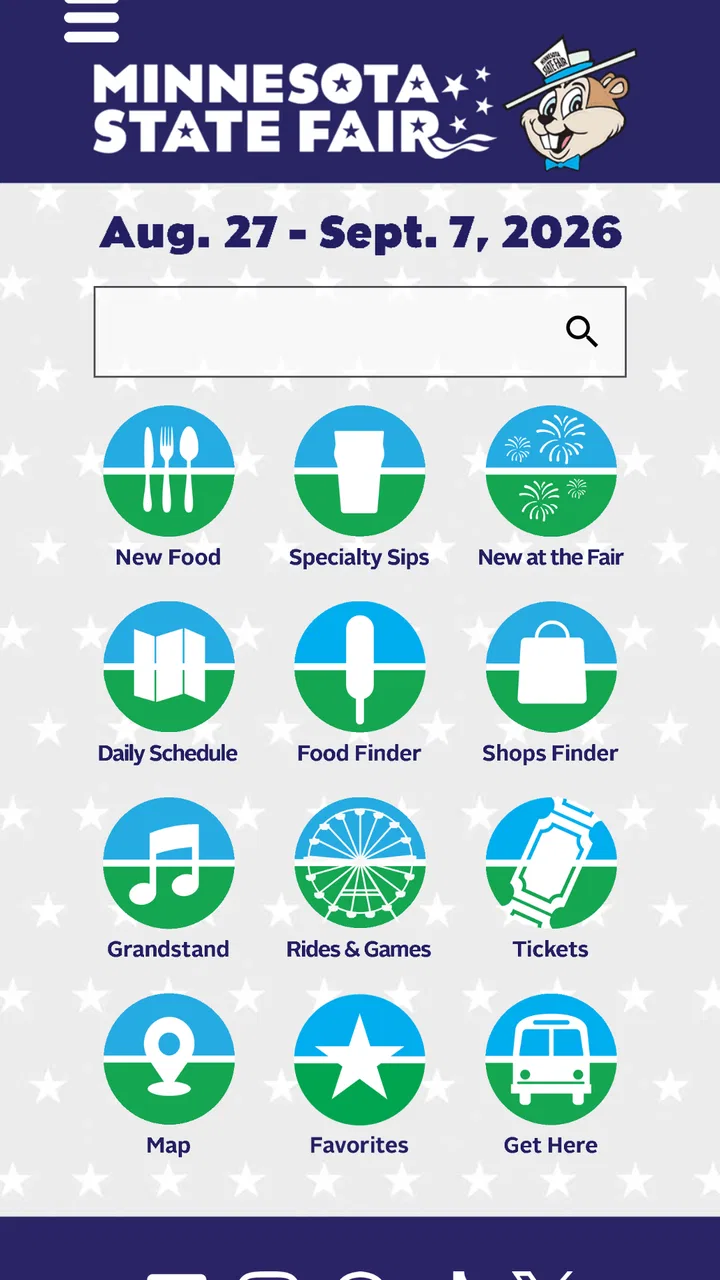
The app’s store summary points to foods, sips, shops, entertainment, and more, and that description matches the way I used it. Rather than treating the fair as one enormous list, it gives the visitor several ways to think about the grounds. Someone can begin with a craving, a performance, a shopping stop, or a broad desire to fill an afternoon. That flexibility is more useful than a single chronological schedule because fair visits rarely follow a perfect plan.
I especially like the idea of opening the app before leaving home and using it to create a short priority list. I would choose one or two food stops, identify entertainment worth timing around, and mark shopping or other attractions that are convenient along the way. Once inside, the app becomes less about discovering everything and more about checking the next sensible destination. That distinction makes it feel like a planning tool rather than a digital brochure.
The app currently has an average rating of 3.9 from around ninety ratings, with more than forty written reviews and over fifty thousand installs. I read that response as encouraging but not definitive. It has clearly reached a meaningful audience, yet it is not so universally praised that I would tell every visitor to depend on it without a backup plan. A fairground is a demanding environment for any mobile tool, and personal results can depend on the phone, connectivity, and how much information a visitor expects.
Useful before the gates open
The strongest use case is preparation. At home, I can browse with enough time to compare options instead of making every decision while surrounded by crowds. This is where the categories become genuinely helpful. Food and drink planning is not only about choosing a meal; it can help a group agree on a few destinations before everyone becomes hungry and impatient. Shopping information can also be handled in advance, especially if one person wants souvenirs while another is focused on performances.
A practical workflow is to separate “must do” items from “nice if nearby” items. I would keep the first group short, because a fair is too unpredictable for an ambitious checklist. Then I would use the app’s information to arrange those priorities by area or by the time of an entertainment commitment. Even without trying to schedule every minute, this approach prevents the common mistake of crossing the grounds repeatedly for one forgotten stop.
Families can benefit from this preparation in a different way. Parents may want to know where food choices fit between activities, while children often remember a specific treat or attraction more clearly than a general plan. A shared shortlist gives everyone a voice without forcing the group to wander until someone gets tired. The app is not a substitute for supervising children or agreeing on a meeting point, but it can support those conversations before the day becomes hectic.
Using it while walking
Once I am at the fair, the app’s usefulness depends on how deliberately I use it. I would not keep staring at a screen while moving through a crowded area. Instead, I would check the next destination before leaving a stop, note the general direction, and put the phone away while walking. This sounds obvious, but it is an important trade-off: a digital map or directory can reduce confusion, yet constant phone use can make the visit less enjoyable and less safe in a dense crowd.
The best in-visit habit is to make decisions in batches. If I finish eating, I would look ahead for entertainment and shopping options that make sense from that location rather than selecting the next item randomly. This turns the app into a lightweight route planner even when I am not following a strict route. It also helps when a group changes its mind, because I can replace one nearby option instead of rebuilding the entire day.
Another useful habit is checking details before promising a stop to the whole group. A listing that looks appealing may not fit the current mood, available time, or location. I would confirm the relevant information immediately before setting off, especially for a performance or a destination that everyone is expecting. This protects the group from the frustration of discovering that a carefully discussed plan no longer suits the moment.
What the recent version means for returning visitors
For someone who used an earlier edition, version 3.0.4 is best understood as the current reference point rather than a reason to assume that every past habit has changed. The important practical question is whether the app now supports the way that person already plans a fair visit. Returning users should open it before their next trip, review the layout and categories, and rebuild their shortlist rather than relying on screenshots or memory from a previous season.
That is also where the release timing matters. A fair companion is seasonal by nature, so a visitor should treat the current app as something to revisit close to the outing, not something to configure once and ignore forever. Information that was useful for one visit may not be the information a person needs for the next one. I would avoid assuming that an old saved routine, note, or route remains the best approach simply because it worked previously.
New users may find the app easier if they begin with a single purpose. Searching for one food destination, one entertainment option, or one shop is less overwhelming than trying to understand every part at once. After that first task, the broader categories make more sense. This is a small but important onboarding tip: use the app to answer a real question instead of browsing aimlessly through the entire fair.
The developer name, Official Minnesota State Fair App, also sets a reasonable expectation about scope. This is a focused companion for the Minnesota State Fair, not a general guide to events across the state and not a social network for building a public itinerary. That narrow focus is a strength when the fair is your destination, but it is also the clearest reason to remove it or ignore it outside that context.
Where it still asks for patience
The main limitation is that an app cannot eliminate the physical complexity of a major fair. Even excellent information does not make long walks disappear, guarantee that a group will stay together, or prevent a popular stop from becoming inconvenient at a busy time. I would use the app to make better choices, not to expect a frictionless experience. Visitors who want turn-by-turn certainty may find the real-world environment less predictable than the screen suggests.
There is also a difference between finding information and acting on it. A directory can tell me what interests me, but I still have to decide whether it fits the group’s energy, budget, timing, and location. That is why I prefer a short list over a complete itinerary. Trying to visit everything the app presents would turn a helpful reference into another source of pressure.
People who strongly prefer paper maps may not need this app at all. A printed map, a prearranged meeting place, and a few written priorities can be enough for a visitor who wants to keep the phone away. Likewise, someone attending only briefly for one known event may gain little from installing a full fair guide. In that case, the app is most useful only if it helps with a nearby meal, shop, or backup plan.
Visitors with older or less capable phones should also be realistic about the experience. The minimum operating-system requirement is Android 6.0, so compatible hardware is necessary, but compatibility alone does not guarantee a smooth day. I would charge the phone fully, avoid depending on the app for the only copy of an important plan, and write down a meeting location for anyone who may lose signal or battery. Those precautions are sensible for a crowded event regardless of which guide is being used.
How it compares with ordinary alternatives
The usual alternatives are a printed fair map, a browser search, social recommendations, or simply asking staff and other visitors. Each has a place. A printed map is dependable when a phone battery becomes a problem, while a browser is convenient for a single quick lookup. Social posts may surface personal favorites, but they can be less organized and harder to use while walking. Staff can provide human guidance, although asking for every small decision is inefficient.
The Official MN State Fair App sits between those options. It is more focused than a general web search and more flexible than carrying only a paper map. Its advantage is not that it makes decisions for me; it is that it gathers the fair-specific choices I am likely to make and lets me prepare before arriving. Its weakness is the same as any phone-based guide: it adds a screen to a day that is already busy, and it should not become the only fallback when plans change.
For a first-time visitor, I would combine it with a simple offline plan. Choose the top destinations in the app, record a meeting point separately, and keep the paper or human-navigation option in mind. For a returning visitor who already knows the grounds, the app may be less essential, but it can still be worthwhile when the goal is to discover food, entertainment, or shopping beyond the familiar routine.
Who should install it, and who can skip it
I would recommend it to first-time attendees, families coordinating different interests, visitors who want to explore food and drinks, and anyone trying to fit entertainment into a limited visit. It is also a good choice for people who dislike arriving without a plan but do not want to construct a rigid schedule. The free price removes the biggest barrier, and the Everyone age rating makes it suitable as a shared planning tool for a broad audience.
I would be less enthusiastic for someone who already has a fixed destination and intends to leave soon afterward. I would also skip it if I were deliberately taking a phone-free day and had no interest in browsing alternatives. The app earns its place when discovery and coordination matter. It is not necessary simply because a fair is taking place.
One overlooked use is as a compromise tool for groups. Before leaving, each person can identify one priority, then the group can use the app to find a realistic order rather than arguing over whose choice comes first. Another is using it to create a weather-flexible plan: keep outdoor destinations as the main route, but identify entertainment or shopping options that can fill an unexpected pause. A third is reviewing the app after the visit to remember which areas or categories were overlooked, making the next trip more intentional rather than merely repeating the same path.
My recommendation after using it
I see the Official MN State Fair App as a practical, focused companion rather than a complete solution to every fair-day problem. Its best contribution is helping me turn a huge event into a manageable set of choices. I can research before arriving, make a short route, adjust it when the group changes direction, and use the category structure to discover more than I would through habit alone.
The app is free, currently at version 3.0.4, and its broad compatibility makes it easy to try before committing to a visit plan. I would still keep a backup meeting point and avoid treating any digital guide as infallible. The right mindset is simple: use the app to reduce planning friction, not to control the entire day.
My final advice is to install it early enough to explore without pressure, choose only a few priorities, and check the app again shortly before heading out. If you are visiting the Minnesota State Fair for more than one specific event, I think it is worth having. If you want a fully offline experience or already know exactly where you are going, a paper map or a quick browser lookup may be the better choice. For everyone in between, Official MN State Fair App offers a sensible way to make a crowded fair feel a little easier to navigate.
FAQs for Official MN State Fair App
01What is the Official MN State Fair App used for?
The Official MN State Fair App is designed to help visitors plan and navigate their Minnesota State Fair experience. It typically provides information about daily schedules, attractions, entertainment, food vendors, exhibits, maps, and special events. Instead of relying only on printed materials or searching multiple websites, visitors can use the app as a convenient reference before and during their visit.
02Does the Official MN State Fair App include an interactive fairgrounds map?
Yes, one of the most useful features is the fairgrounds map, which helps visitors locate stages, food stands, shopping areas, restrooms, entrances, information booths, and other attractions. The map can make it easier to organize a route through the fair, although users should remember that crowded areas, temporary closures, and changing event conditions may affect how accurately they can follow a planned itinerary.
03Can I use the app to find food, entertainment, and scheduled events?
The app is intended to make discovering fair activities easier by organizing attractions, performances, exhibits, and food options in one place. Depending on the current edition, users may be able to browse event times, search categories, review locations, and save or mark activities they want to visit. It is still wise to check the latest information because schedules and availability can change.
04Does the Official MN State Fair App work without an internet connection?
Some information may remain available after it has been loaded, but users should not assume that every feature works fully offline. Live schedules, updates, notifications, maps, and location-related tools may require mobile data or Wi-Fi. Before arriving, it is a good idea to open the app, review important details, and allow content to load, while also carrying a backup plan such as screenshots or a printed schedule.
05Is the Official MN State Fair App free to download, and is it safe to use?
The official app is generally offered as a free download for supported Android and iOS devices, although normal mobile data charges may apply when using online features. Because official event apps can request permissions for notifications, location, or other functions, review the permissions before accepting them. Downloading it through the official Google Play Store or Apple App Store helps reduce the risk of installing an unofficial copy.
Pros
- Find food
- rides
- vendors
- and attractions quickly on the fair map.
- Daily schedules make it easier to plan concerts
- shows
- and activities.
- Useful fair updates help visitors stay informed during their visit.
- Official information can reduce the need for printed maps and brochures.
- Simple navigation is helpful when exploring the large fairgrounds.
Cons
- Some features may depend on a reliable mobile data connection.
- The app can feel less useful outside the fair dates.
- Frequent notifications may be distracting for some visitors.
- Map details may take time to load on older phones.
- Event information can change
- requiring users to check for updates.

Official MN State Fair App
Gallery